
Pinpointing the Place: Mapping Messy User Locations to Official NUTS Regions
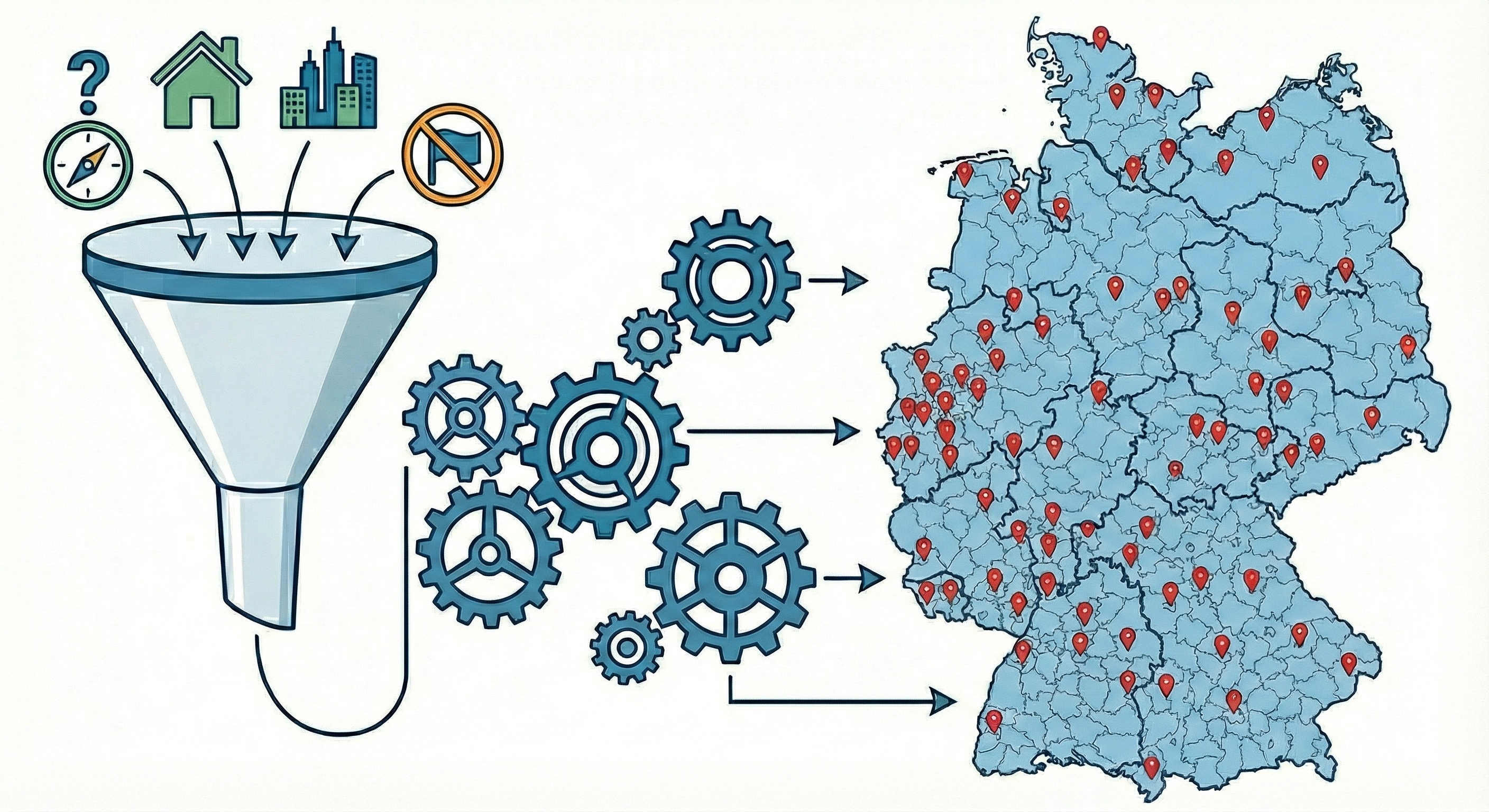
In my previous post, I discussed the headache of matching company names. But once you know who the company is, the immediate next question is: where are they?
My dataset also included user-generated location fields. While seemingly simpler than company names, location data comes with its own flavor of chaos. Users might write:
“Berlin-Kreuzberg” (a neighborhood)
“Frankfurt” (ambiguous)
“Near Munich” (vague)
To merge this with official otehr data sources, I needed to map these strings to NUTS 3 regions (Nomenclature of Territorial Units for Statistics) which are the standard geocoding level for European policy analysis.
Here is how I adapted the “waterfall” pipeline to solve the geography problem.
The Challenge: Granularity and Ambiguity
Unlike company names, geography is finite, there are only so many cities in Germany. However, the hierarchy is the problem.
The “Sub-unit” Problem: Users often input their specific district (LAU - Local Administrative Unit) rather than the official region. For example when a user writes “Charlottenburg,” but the NUTS region is “Berlin.”
The “Frankfurt” Problem: Germany has two Frankfurts (Main and Oder). Users rarely specify which one.
The “Scope” Problem: Users often input “Home Office,” “Germany-wide,” or foreign cities (“Paris”), which need to be filtered out to avoid contaminating the German economic analysis.
Phase 1: Aggressive Normalization
Because geography is static, I can use a “brute force” normalization strategy that relies heavily on Regular Expressions. The script applies a massive dictionary of rules before matching begins.
1. Standardization & Transliteration
As with company names, I normalize umlauts (München $\rightarrow$ muenchen) and strip administrative fluff (Landkreis, Stadt, Kreisfreie Stadt).
2. The Neighborhood Roll-up
This is unique to location matching. The script actively detects known boroughs and maps them to their parent city.
Input: “Hamburg-Altona” or “St. Pauli”
Output: “hamburg”
3. The “Ring” Mapping
Economic hubs often have commuter belts that users identify with the main city. The script standardizes suburbs into their economic centers where appropriate, or ensures distinct towns (like “Eschborn”) are cleaned so they can match their specific NUTS code later.
LLMs helped with the extensive list of neighbourhoods and commuting towns.
4. The “Foreign” Filter
The script contains a logic block to identify non-German cities. If a user inputs “Zürich”, “Vienna”, or “London”, these are explicitly flagged as Non-German City and excluded from the matching process immediately.
Phase 2: The Hierarchical Waterfall
Step 1: Exact NUTS3 Match
I compare the cleaned input against the official list of NUTS3 region names.
Input: “Berlin” $\rightarrow$ Match: DE300 (Berlin)
Input: “München” $\rightarrow$ Match: DE212 (München, Kreisfreie Stadt)
Step 2: The LAU Bridge
This is the most critical step. Many user inputs are valid towns (e.g., “Eschborn”) that do not have their own NUTS3 code because they are too small. They belong to a larger district (e.g., “Main-Taunus-Kreis”).
To solve this, I utilize the LAU (Local Administrative Units) dataset. This acts as a dictionary mapping thousands of small municipalities to their parent NUTS3 region.
Input: “Eschborn”
Result: Found LAU code 06436003 $\rightarrow$ Maps to NUTS3 DE71A (Main-Taunus-Kreis).
Step 3: Fuzzy Matching
Finally, for inputs with slight typos (e.g., “Goetingen” instead of “Goettingen”), I use fuzzy matching (Jaro-Winkler distance) against both the NUTS3 list and the LAU list.
Conclusion
By combining aggressive regex cleaning with a hierarchical lookup (City $\rightarrow$ LAU $\rightarrow$ NUTS), this pipeline solves the granularity problem without expensive AI verification.
Code
All code can be accessed at the placematchr Github repository.